Keep orders moving.
QR and staff-entered orders feed a connected service workflow.

Restaurant operations, simplified
POS, QR ordering, kitchen display, reports and billing, all connected.
How OnRestro brings it all together
Orders shouldn’t need chasing, bills shouldn’t need double-checking across tools, and the day’s numbers shouldn’t take all evening to piece together. OnRestro brings the key parts of service together so your team can stay on the same page.
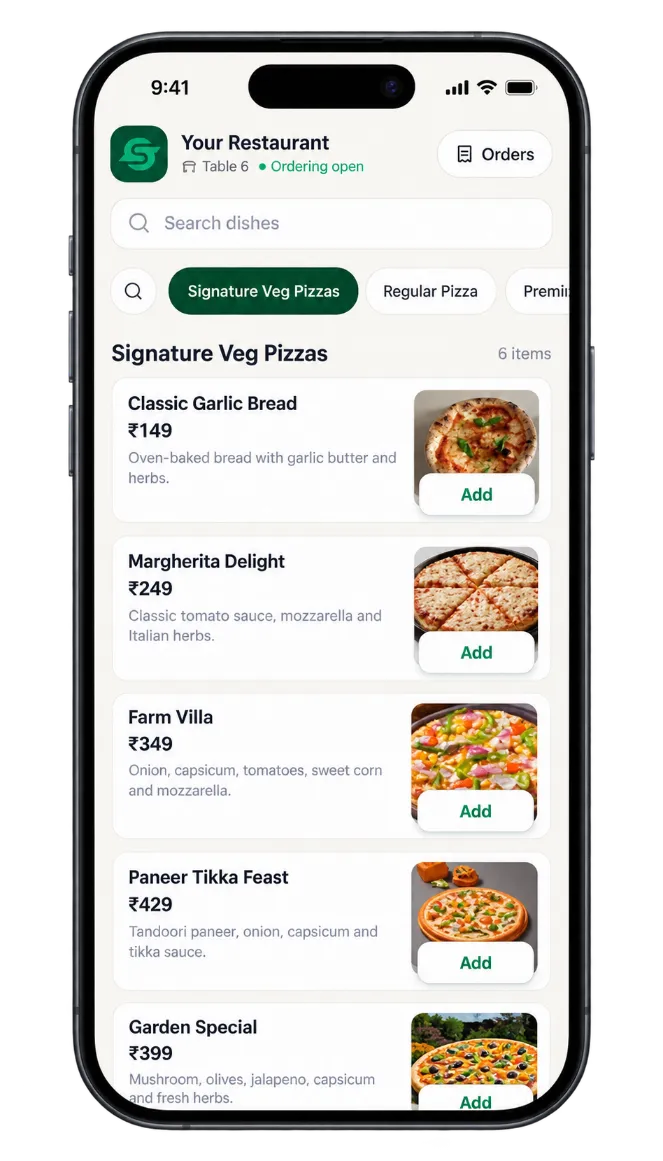
Guests browse the menu and place orders from their phones.
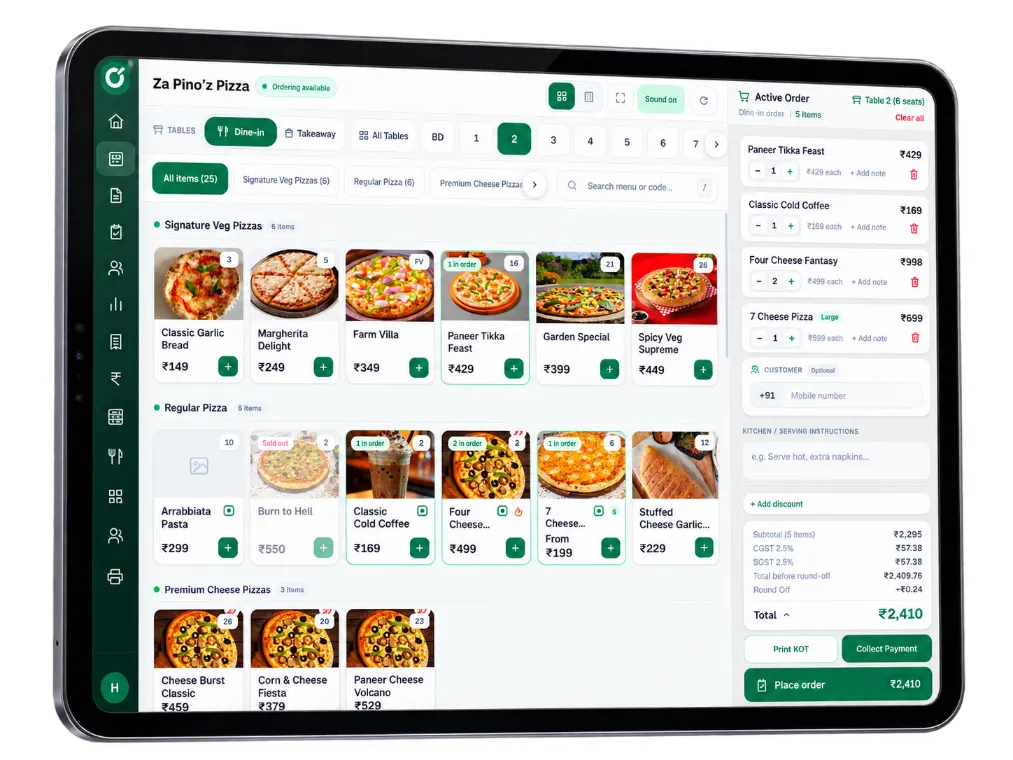
Orders appear instantly on the POS for quick processing.
Live orders on the kitchen display with clear preparation status.
New 4
#1023Margherita PizzaTable 6
#1024Paneer TikkaTable 3
#1025Farm VillaTable 8
Preparing 3
#1021Farm Villa PizzaTable 2
#1019Garlic BreadTable 5
#1018Veg BurgerTable 4
Ready 2
#1016Classic PizzaTable 1
#1015Cold CoffeeTable 7
Generate bills, apply discounts and manage payments easily.
Table 6Dine-in
Grand Total₹889.36
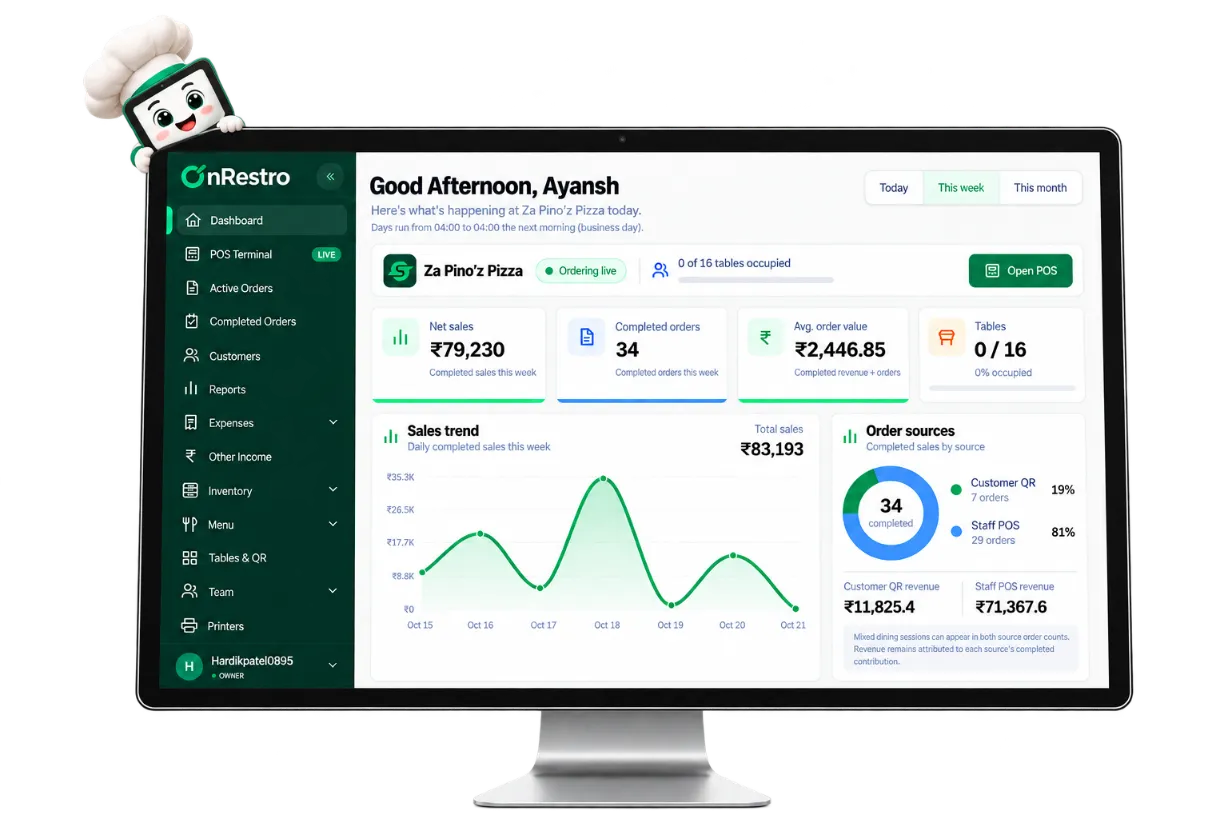
Get real-time insights on sales, orders, inventory and expenses.
Sales TrendThis week
Total Sales₹83,193Completed this week
QR and staff-entered orders feed a connected service workflow.
Track incoming tickets and their preparation status on a dedicated screen.
Review sales, payments, stock movement and expenses without switching systems.
01POS
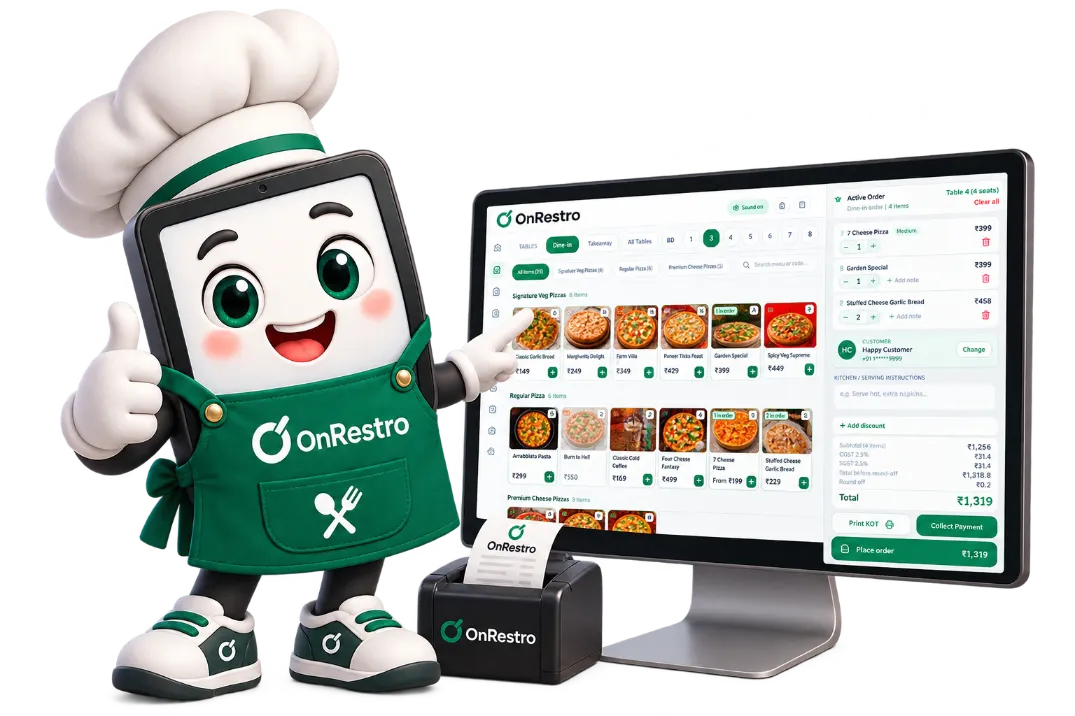
Choose a table or takeaway, find dishes by name or item code, send the KOT to the kitchen and collect payment, including split bills, without leaving the order.
02QR ordering
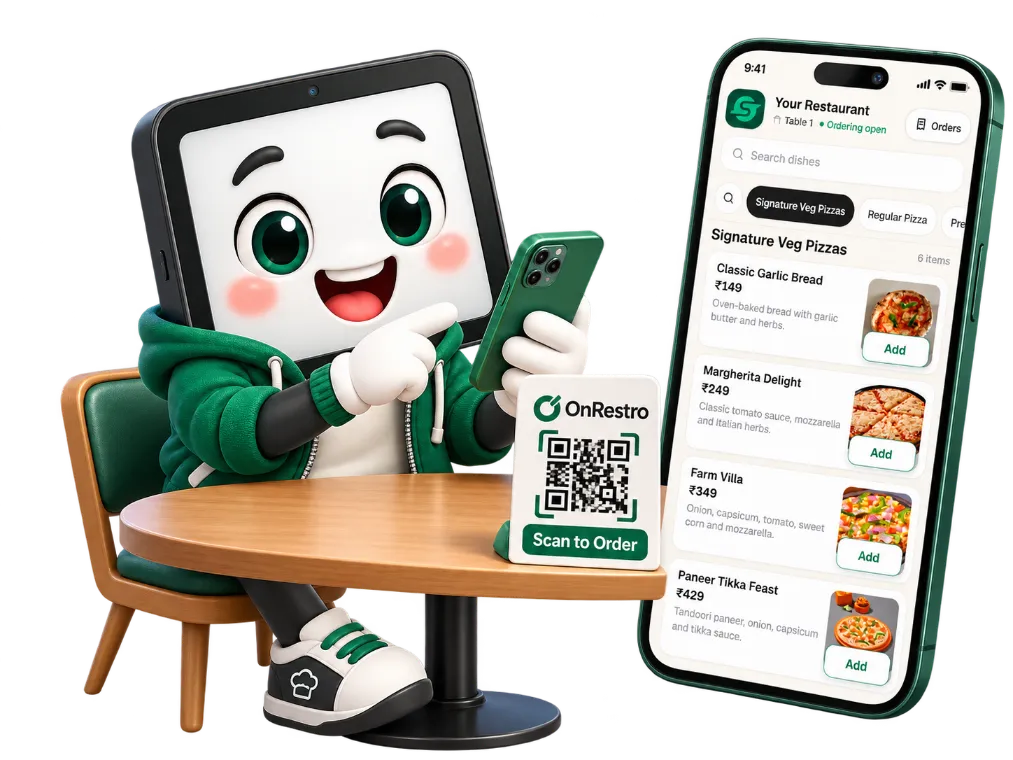
Each table has its own QR code. Guests browse your menu in their phone’s browser, pick variations, add a note like “less spicy” and order. Your POS plays an alert so staff can accept it.
03Captain App
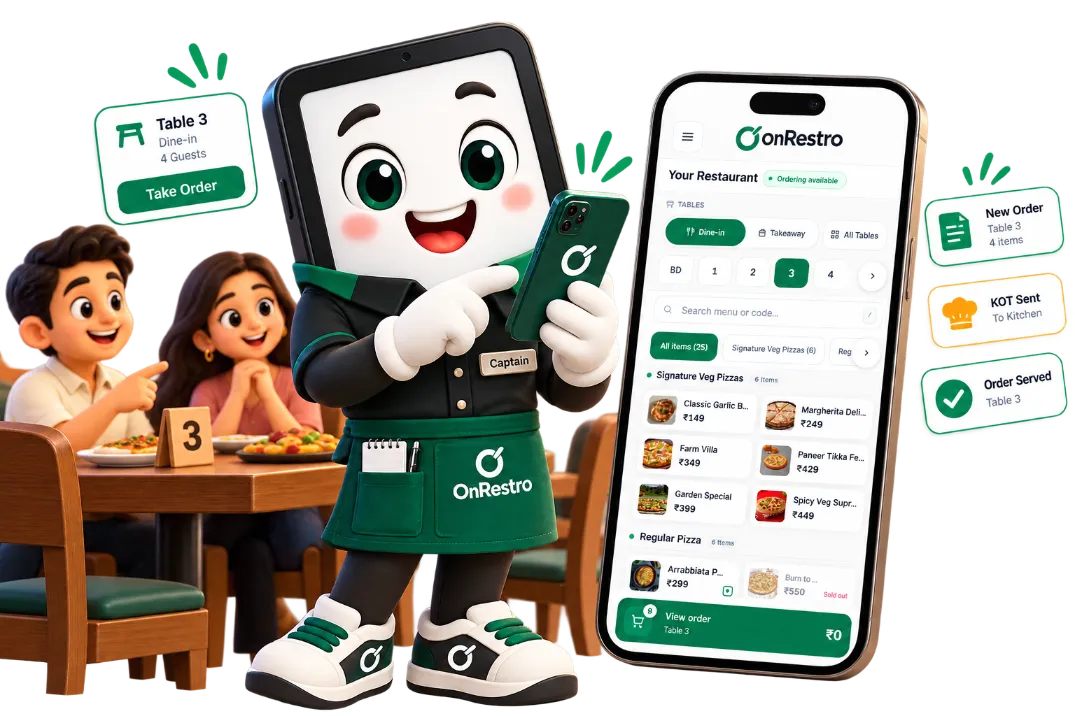
Captains open OnRestro on their phone, pick the table, build the order while talking to guests and send it straight to the kitchen. Payment can be collected right there too.
04Kitchen Display System
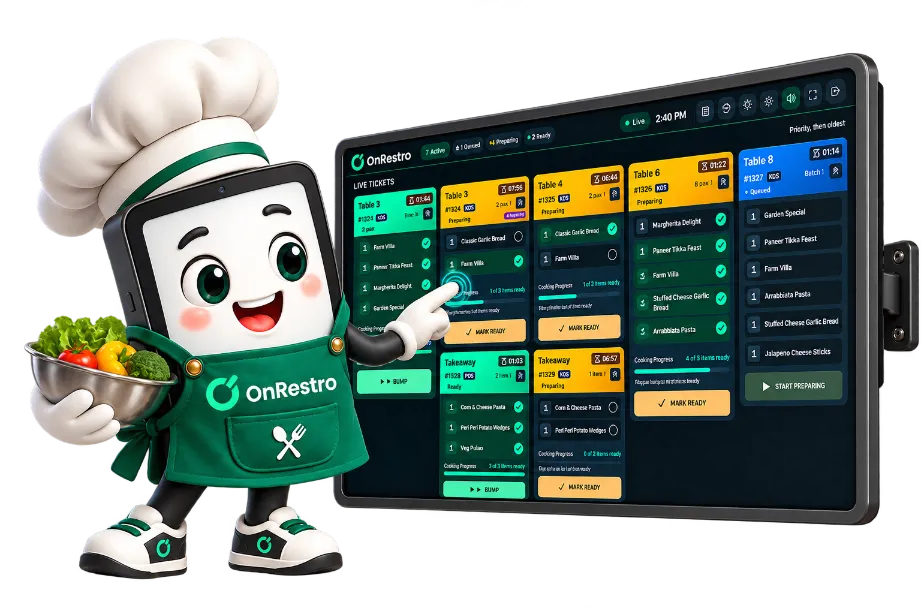
POS orders and accepted QR orders appear as live tickets with a sound alert. Cooks tick off items, move each ticket from Queued to Preparing to Ready, and bump it once it’s served.
Pricing
Launch offer · 20% off till 30 Nov 2026
Was ₹8000 a year, now ₹6400 a year plus GST.
₹8000
/ year+ GST
Join by 30 November 2026 and your first year is ₹6400. After that, you renew at ₹6000 a year.
One yearly price for the complete system, billed annually.
Questions first? Talk to us and we’ll walk you through it.
Everything included
FAQs
Nope. They scan the QR code on the table, and the menu opens right in their phone’s browser. No app, no sign-up, no waiting.
Yes. OnRestro works in the browser on phones, tablets and computers, so your staff can pick a table and build an order right where the guests are sitting.
Yes. You can set up your tax groups (including CGST and SGST), run your own invoice series, and pull tax reports when you need them. We’d suggest having your accountant check the setup once, so it matches your business.
Yes. Track ingredients, stock counts and waste, and add recipes so your menu sales connect to what’s being used in the kitchen. You’ll spot problems sooner instead of at the end of the month.
The things owners ask about most: what sold, how customers paid, which dishes perform best, tax summaries, exceptions, price changes, and a cash-basis Profit & Loss. You can export it all as PDF, Excel or CSV.
Request a demo and tell us a little about your restaurant. We’ll show you how it works and walk you through the plan details, step by step.